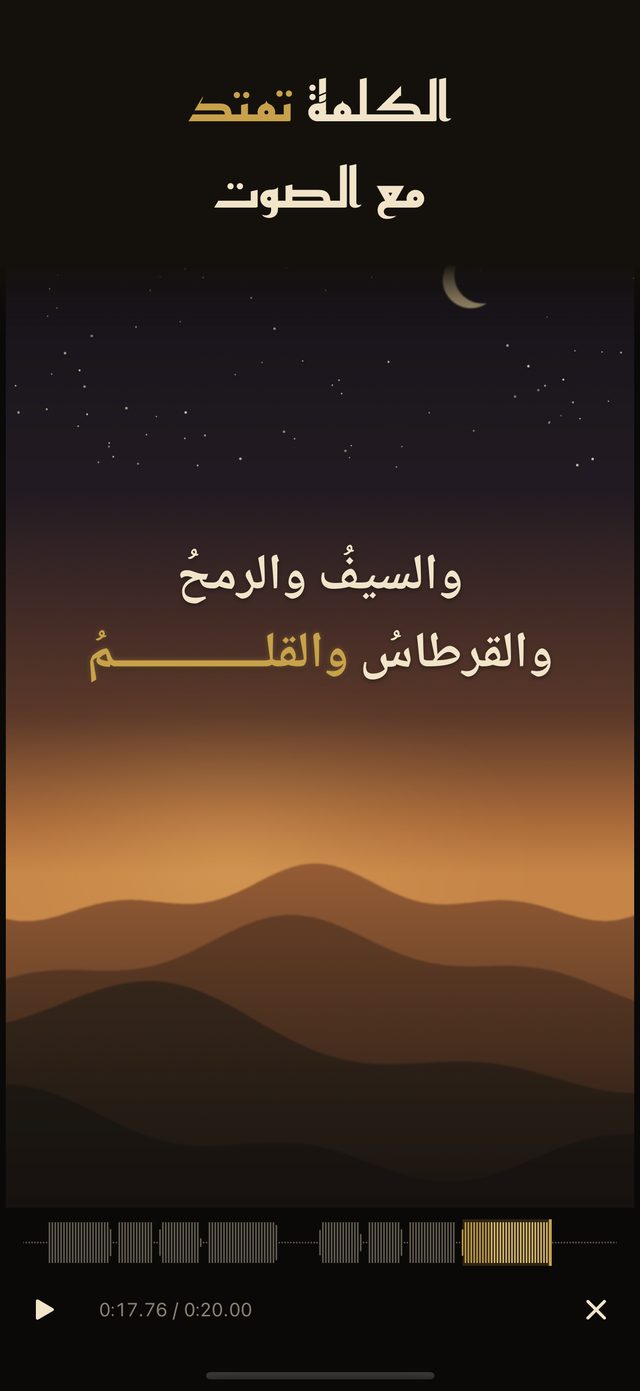
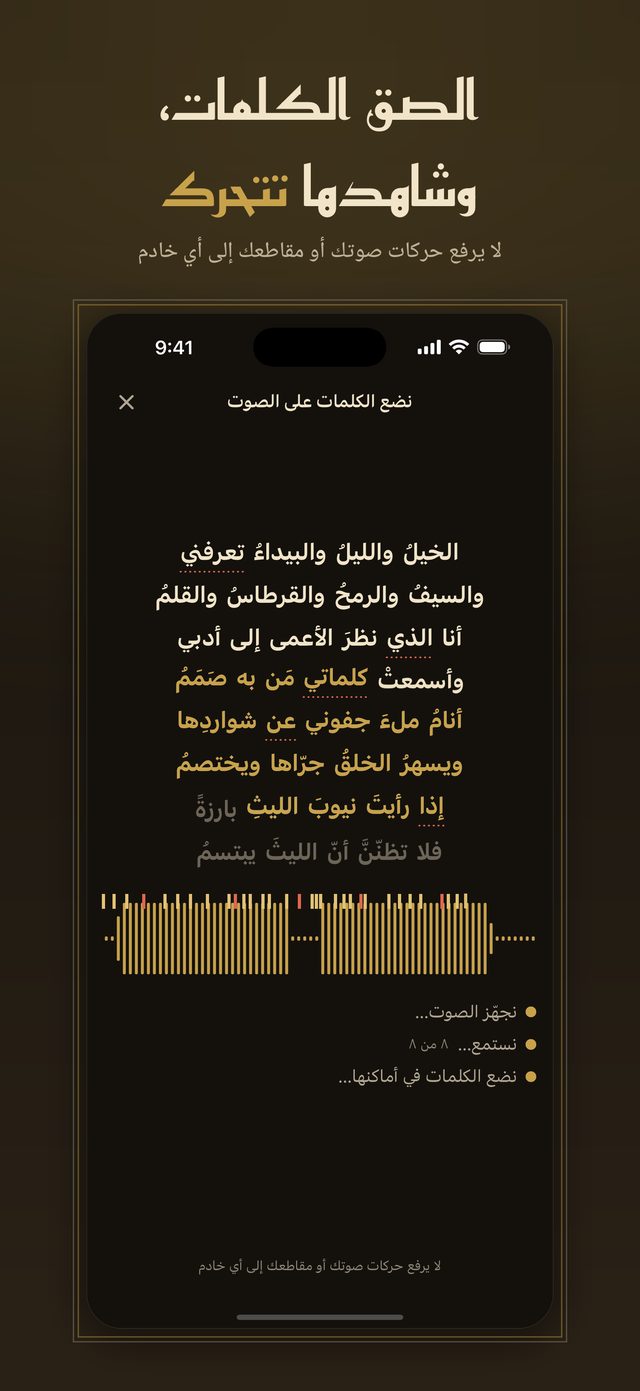
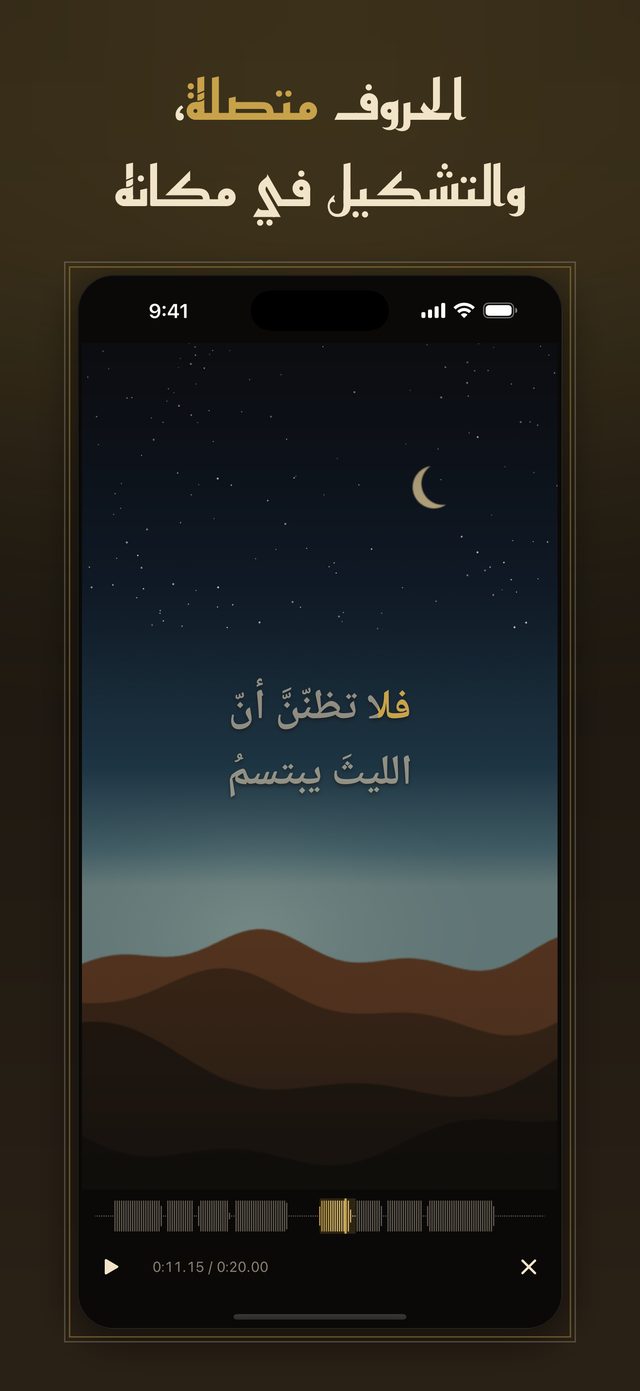
An iPhone app for Arabic lyric videos: a sheila, a poem, a zaffa or a quote. Harakat animates every word with letters that always stay joined, and exports a clean vertical video with no watermark.
تطبيق لتصميم فيديو الكلمات العربية. اقرأ هذه الصفحة بالعربية ←

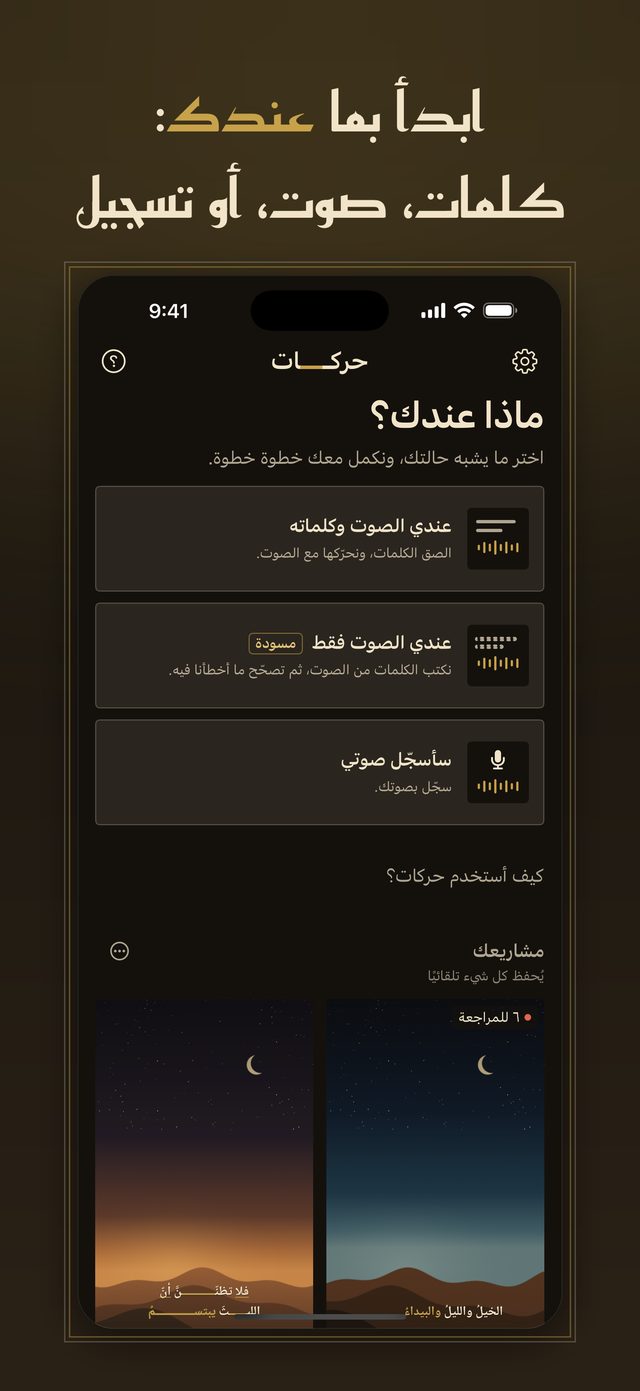
Paste the words and pick the clip. Harakat listens to the clip on your iPhone and suggests where each word starts; words it is unsure about are marked. Loud music, echo and long melodies can confuse it, so every word stays editable in a tap. Tap-to-sync always works, even offline.

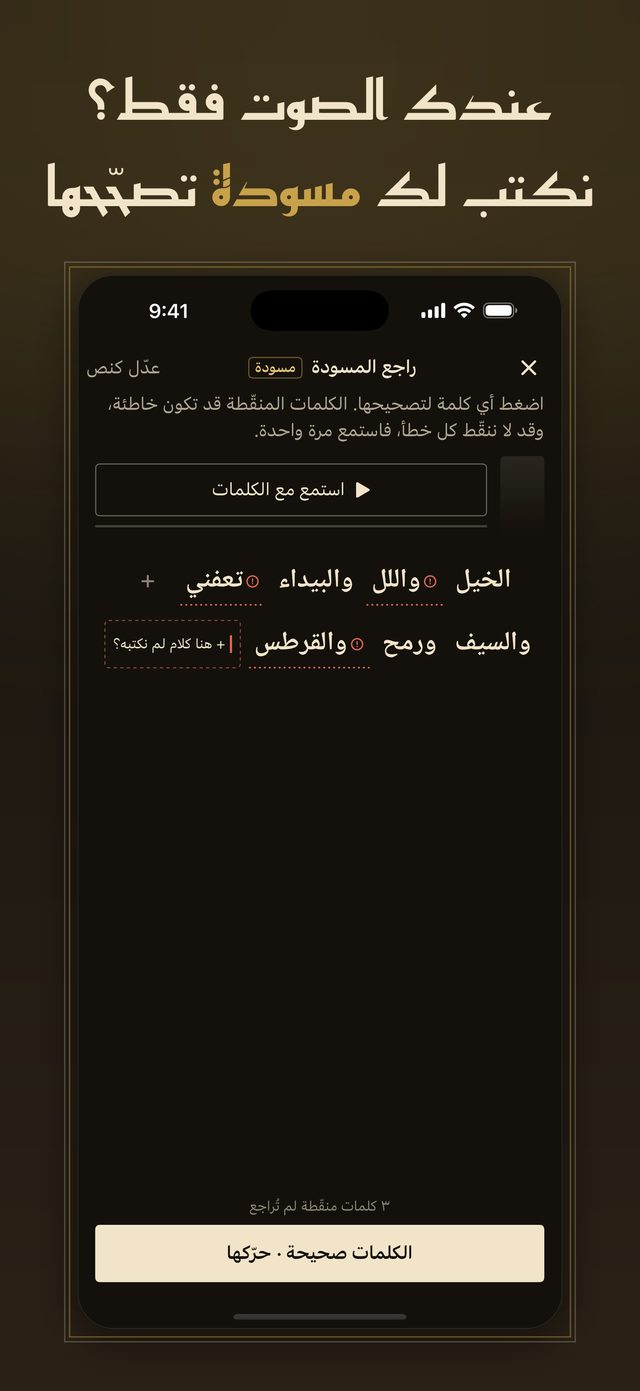
Harakat writes a draft of the words from Arabic speech on your iPhone; you review it, then the words move. It is a draft: it can get some words wrong, especially in dialect and chanting, so “Listen along” lets you hear and read together, and you tap any word to fix it.

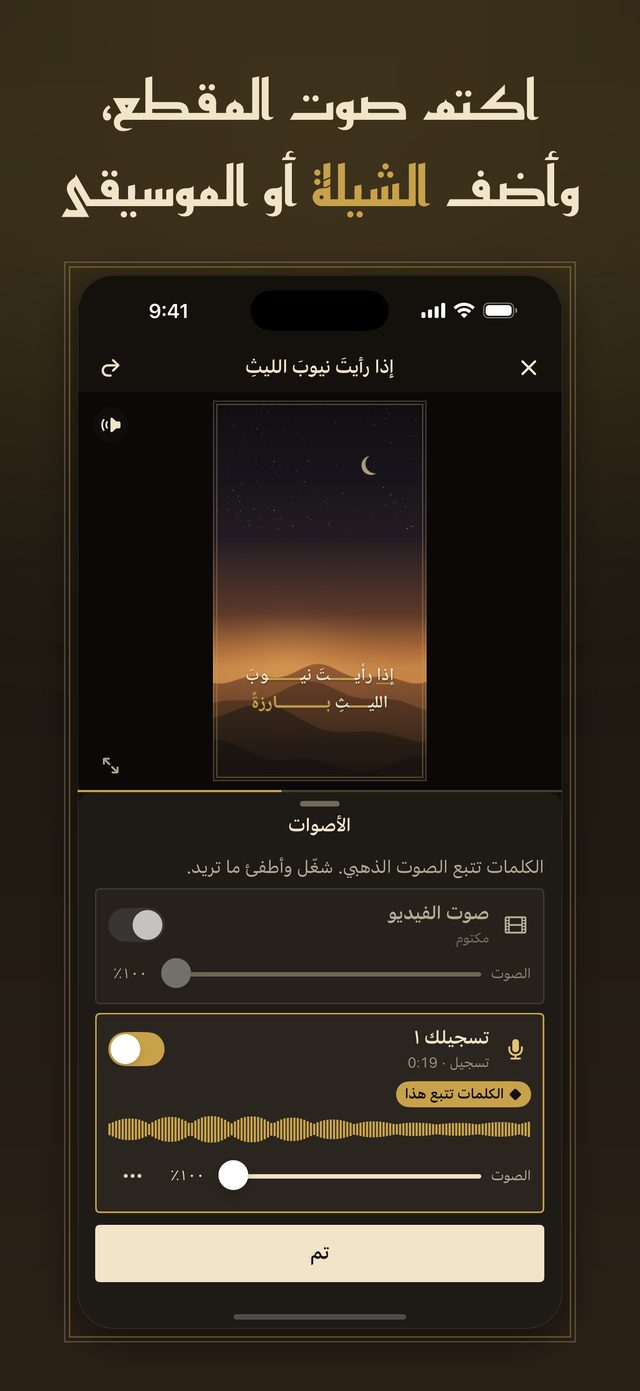
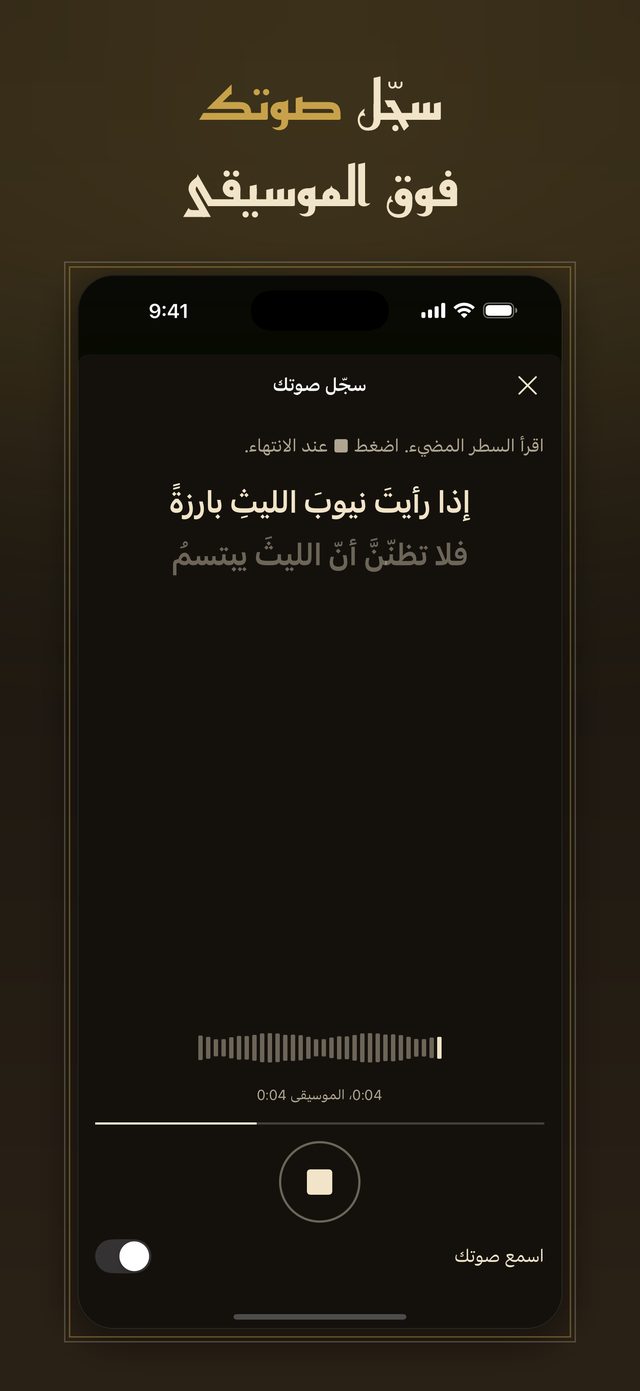
Mute or lower the video’s own sound and add the sheila or music from your files or from another video. Each sound has its own level, start, trim and fade-in, and the words follow the one sound you choose. Record your voice over the music with headphones, up to 5 minutes.

When the munshid holds a note, the word stretches with a kashida for as long as the note is held.
Arabic letters stay connected in every style and every motion, and the harakat stay where you typed them.
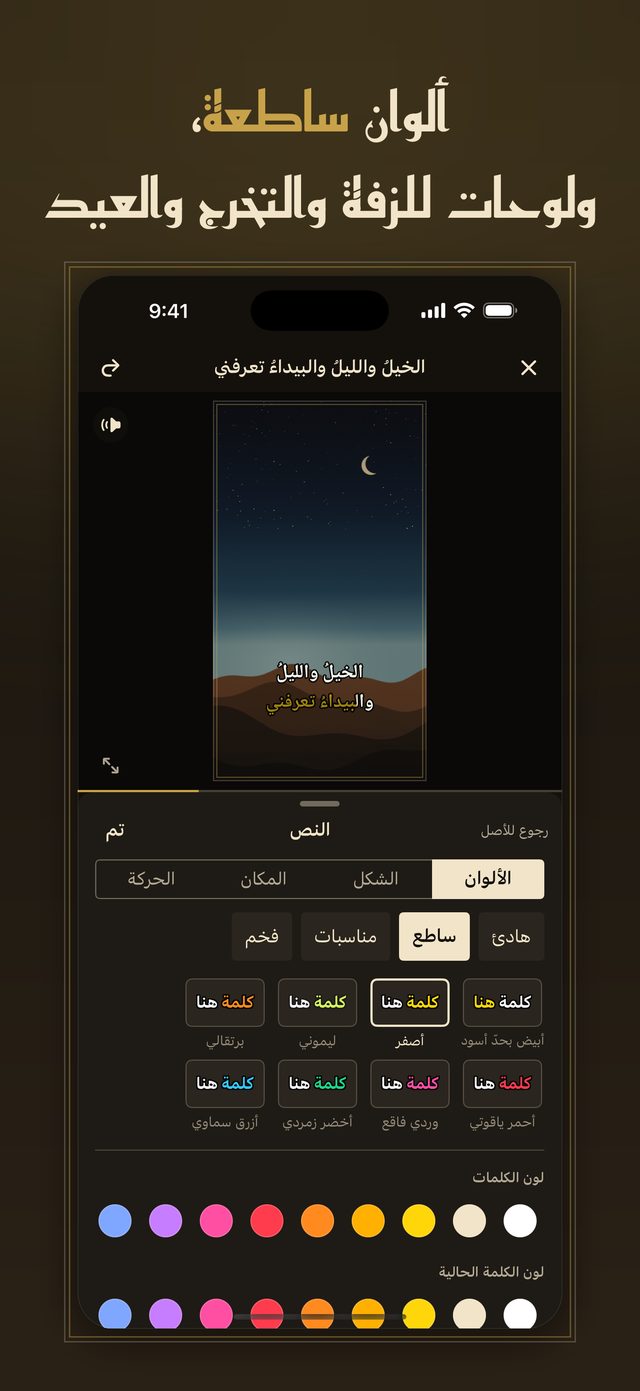
24 colour palettes, including ones for zaffa, graduation, Eid and National Day, with outline, shadow and a box behind the text.
1080×1920 MP4 with safe zones, SRT and LRC export, and 10 styles and 4 Arabic fonts free.


The App Store version of Harakat never uploads your voice or clips. You don’t need a Harakat account, and there is no Harakat sign-in. The app sends anonymous usage statistics, crash reports and an anonymous device record for our own announcements, and, after you answer iOS’s tracking question, tells Meta when it is opened, your first saved video and a Pro purchase, to measure our ads — never your words, audio or video. Read the Privacy Policy and the Terms of Use.
Post directly (optional, test versions only). Connect your own YouTube or TikTok account in Settings → My accounts and post the finished video from the app. Connecting goes through our posting server, post.puzzpics.com, which keeps your account’s access tokens encrypted until you disconnect; the video goes there only when you tap Post. See the Privacy Policy and Direct posting: platforms and your data.
Free, with no watermark: unlimited projects, timing and speech drafts, the full editor, added sounds and unlimited exports of short clips.
Harakat Pro is one payment for lifetime: US$39.99 in the United States. It is not a subscription and it never renews. Pro adds:
Pay once and Pro stays yours. The price for your country is shown in the App Store and in the app before you pay.

The timing engine runs on your iPhone, so the App Store version of Harakat never uploads your voice or clips to time them. It is about 365 MB and downloads once, over Wi-Fi unless you choose otherwise. Tap-to-sync and everything else work without it, and you can delete it in Settings → Models.
Music, echo and long melodies can confuse it. Words it is unsure about are marked; tap a word to nudge it, drag it on the timeline, or re-time from that word. You can also tap along with the clip instead.
Only audio, video and words you made, that are in the public domain, or that you have permission to use. Harakat never downloads songs or lyrics from links; it works with the files you bring. See the Terms.
Open Settings in Harakat and tap Restore Purchases, signed in with the same Apple account.
Purchases are handled by Apple: request a refund at reportaproblem.apple.com.
Support & questions: email kenz@kenzapps.com — we aim to reply within two business days.