FairInvoice app icon: a green invoice with a check mark

Send an invoice in under a minute.

FairInvoice is an invoice maker for iPhone, iPad, Mac and Android. Unlimited invoices and receipts are free, forever. There's no account, and your paperwork stays on your device. Pro is optional: $29.99 once, or $2.99 a month or $19.99 a year on Apple devices.

Unlimited invoices freeNo accountWorks offline$29.99 lifetime Pro

Version 1.6 · iPhone & iPad (iOS 17+) and Mac (macOS 14+) · Android 1.1 (Android 8.0+) · Page updated

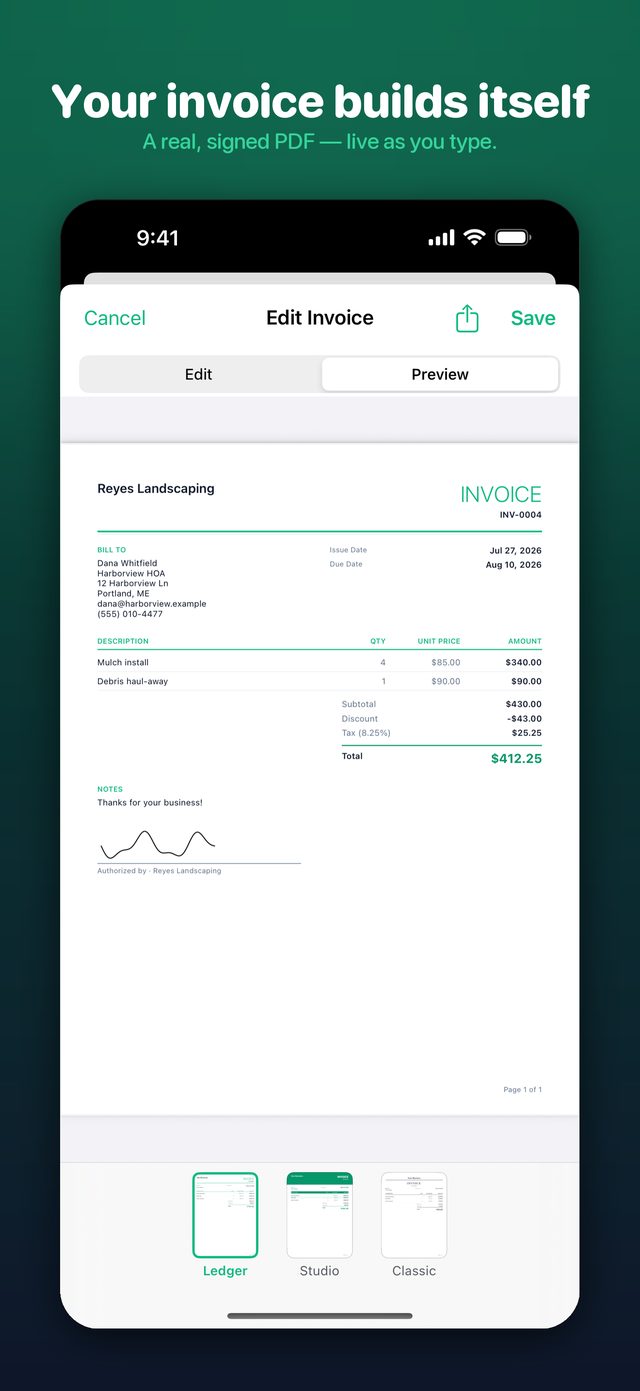
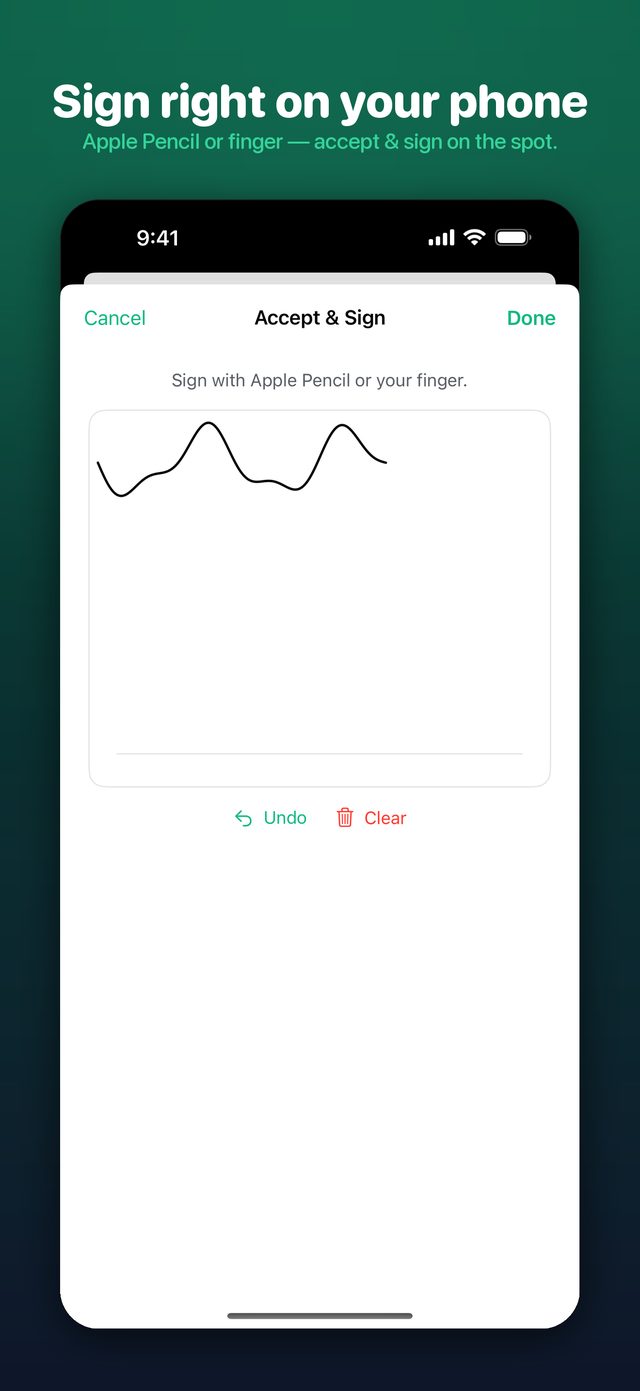
FairInvoice on iPhone: an invoice PDF with a signature drawn on the screen

FairInvoice at a glance

FairInvoice makes invoices, estimates and payment receipts as PDFs, for freelancers, contractors, tradespeople and small businesses that bill their own clients. You type the job, the PDF builds as you go, and you share it from your phone, tablet or Mac.

PriceFree: unlimited invoices and receipts, no time limit. Optional Pro: $2.99/month, $19.99/year (starts with a 7-day free trial), or $29.99 once for lifetime access. Prices are in US dollars; the App Store shows your local price. On Android, Pro is $29.99 once through Google Play, with no subscription.
AccountNone. No sign-up and no sign-in.
Where your data livesOn your device. If you turn on iCloud Sync (Pro), it is also kept in your own iCloud. It is never stored on our servers.
OfflineYes. You can create, edit and save invoices and their PDFs with no signal. You need a connection only to send them, buy Pro or sync.
DevicesiPhone and iPad (iOS / iPadOS 17 or later), Mac (macOS 14 or later), and Android 8.0 or later on Google Play.
LanguagesEnglish, Spanish, French, German, Italian, Portuguese (Brazil) and Arabic. Arabic PDFs are laid out right to left.
DocumentsInvoices, estimates (quotes) and payment receipts, in six PDF designs.
CategoryBusiness · App Store age rating 4+ · Google Play rated Everyone
DeveloperMoaath Othman, an independent developer. Support: kenz@kenzapps.com

What you get, free

A live PDF preview

Type a line item and the finished PDF updates in front of you. On iPad and Mac, the form sits beside a live preview of the real PDF. Totals, tax and discounts are calculated for you.

Invoice editor on iPhone showing the live PDF preview with line items, tax and total

See who owes you

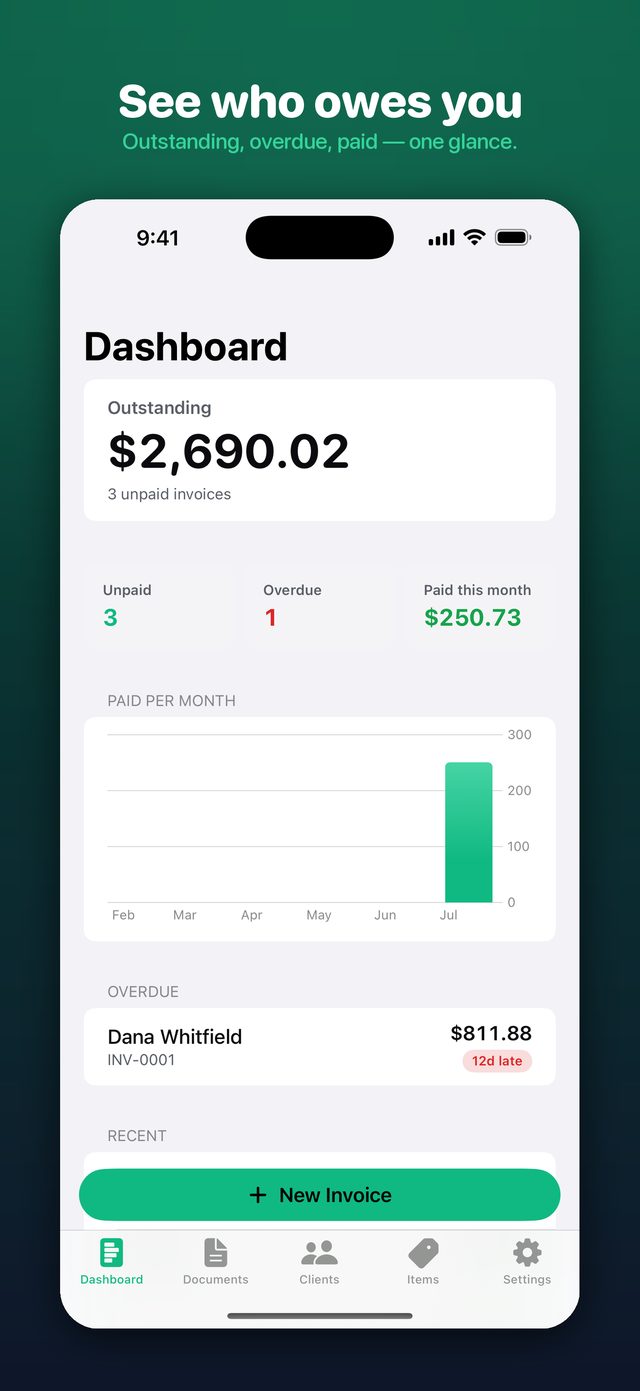
The dashboard totals what you're owed, puts a days-late badge on overdue invoices, and charts what you've been paid by month. Mark an invoice paid with one swipe. Free reminders let you know when an invoice slips past its due date.

FairInvoice dashboard showing the outstanding total, overdue invoices with days-late badges and a paid-by-month chart

Unlimited invoices & receipts

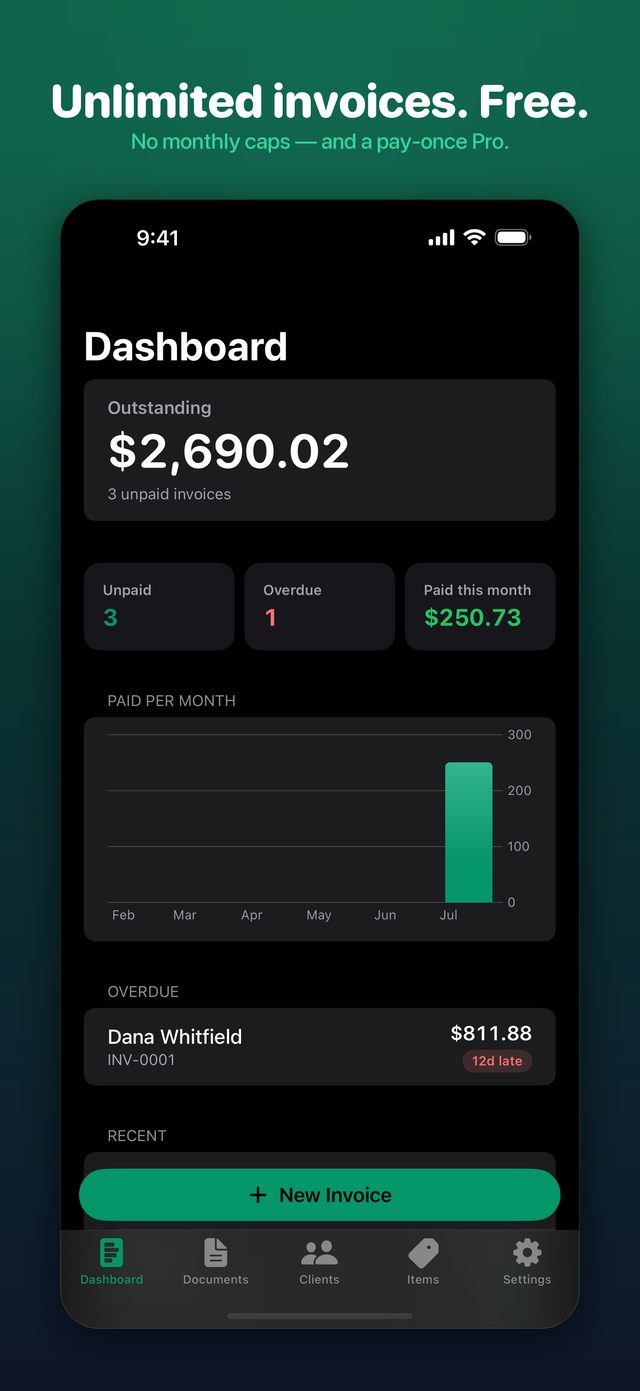
There's no monthly cap and no “three free, then pay.” Clients and saved items are unlimited too. Free PDFs use the clean Ledger design, with a small “Made with FairInvoice” line in the footer.

FairInvoice screen promising unlimited invoices free, with no monthly cap

Look professional

There are six PDF designs. Ledger is free and the other five come with Pro. Pro also adds your logo, your exact brand color and typeface, and a signature drawn or typed on screen. Every design prints your payment instructions and supports right-to-left layout.

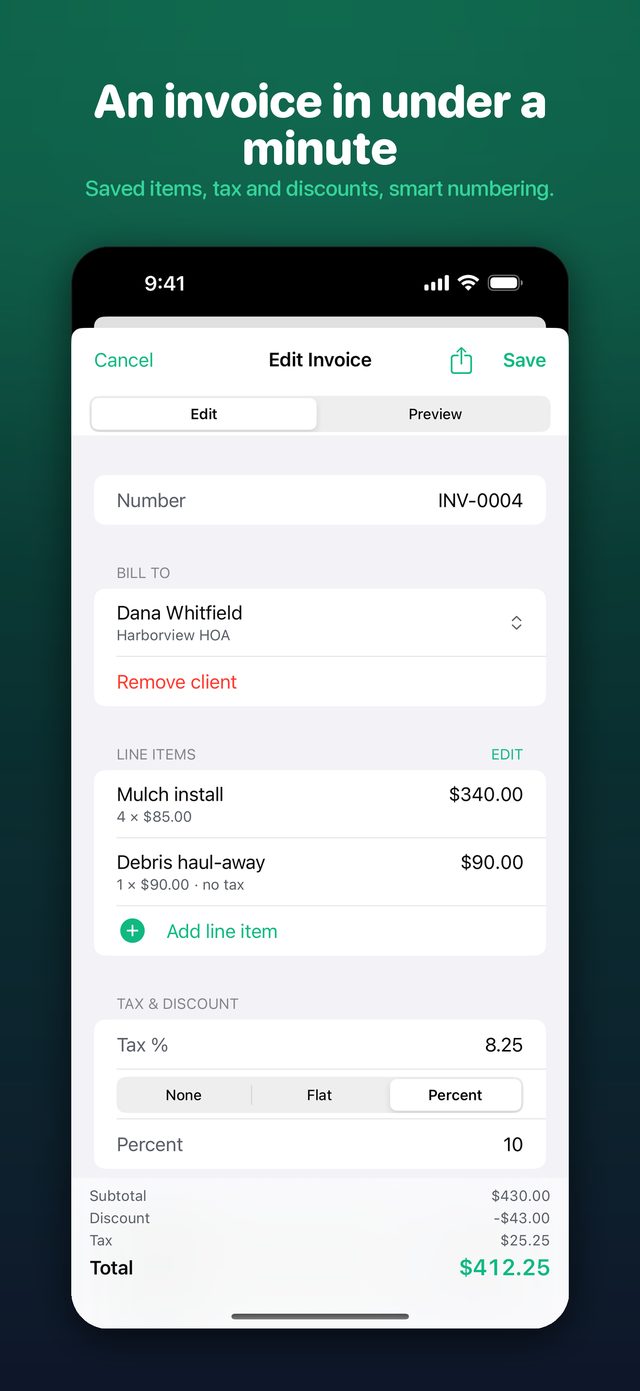
Fast invoice editor on iPhone with saved items suggested as you type

New in version 1.6

Released in October 2026 for iPhone, iPad and Mac.

Job-site photos Pro

Add up to six before-and-after photos to an invoice or estimate, each with an optional caption. They print in a small strip under your notes, or you can leave them off the PDF. Location data is removed when a photo is added. You can use the camera on iPhone and iPad, or your photo library on any device.

Reports you can ask Pro

Invoice Totals shows what you invoiced, what got paid and what is still owed, filtered by client, period and status, and exports to CSV or PDF. With Apple Intelligence (iOS or macOS 26, in a supported language), you can type a question like “How much did I invoice Acme last month?” and FairInvoice sets the filters on your device. The totals come from your own invoices, never from the AI.

Weekly summary

One optional notification a week with what you sent, what got paid and what you're still owed. It's off unless you turn it on in Settings.

Your year in invoices

From December 26, a Dashboard card shows your year: invoices sent, clients served, your busiest month and more. You can share it as an image, and amounts and names stay off it unless you add them.

Is FairInvoice the invoice app you're looking for?

Short, straight answers to what people ask when they look for an invoice app.

A free invoice app with no subscription

FairInvoice is free to download, and invoices and receipts are unlimited, with no subscription required. You can make as many as you need, for as many clients as you have, without paying. Pro is optional. If you want it, you can pay $29.99 once instead of subscribing.

An invoice app that works offline

FairInvoice stores everything on your device and makes the PDF on your device. On a job site with no signal, you can still create an invoice or estimate, see the finished PDF and save it. When you're back online, you can email, message or AirDrop it from the share sheet.

An invoice app without an account

FairInvoice has no sign-up, no login and no email gate. Open the app and start an invoice. Your clients, items and documents are never uploaded to our servers. If you want your invoices on several devices, iCloud Sync (Pro) uses your own iCloud account. A free backup file works too.

A pay-once invoice app for iPhone and Android

FairInvoice Pro has a lifetime option: $29.99 (US price), paid once. It never renews and unlocks every Pro feature on your iPhone, iPad and Mac under the same Apple Account. A $2.99 monthly and a $19.99 yearly plan (with a 7-day free trial) are there for people who would rather subscribe. On Android, Pro is only sold once: $29.99 through Google Play.

An invoice maker for contractors, landscapers and trades

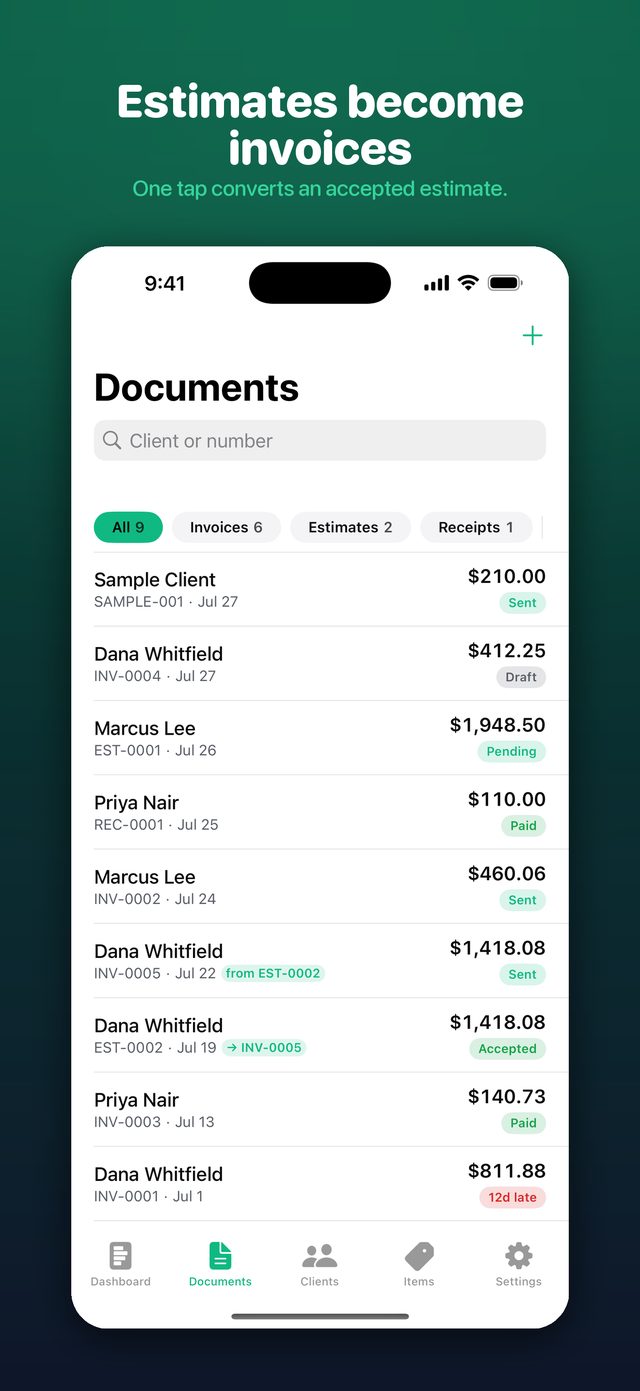
FairInvoice is built for people billing jobs. You can send an estimate, then turn it into an invoice in one tap. You can record deposits and partial payments, add before-and-after job-site photos, and get a client's signature on the glass (all Pro). The Trade design (Pro) puts the amount due front and center, and saved items make repeat line items fast.

An estimate-to-invoice app

When a client accepts an estimate, one tap converts it into an invoice. The client, line items, tax and notes carry over, and the estimate and invoice stay linked both ways. Your first estimate is free to try. Unlimited estimates and conversion are part of Pro.

An invoice app in Arabic

FairInvoice runs fully in Arabic, along with English, Spanish, French, German, Italian and Portuguese. Arabic invoice PDFs mirror right to left: the table, the totals and the alignment. Numbers can use Arabic-Indic digits to match your device. The on-device AI features rely on Apple Intelligence, which doesn't currently support Arabic, so they're hidden in Arabic. Everything else works.

An invoice app for Mac

FairInvoice is also a native Mac app (macOS 14 or later). It has a menu bar, keyboard shortcuts, a desktop widget, and a live PDF preview beside the form. Buy Pro once and it's unlocked on your Mac too. iCloud Sync (Pro) keeps your iPhone, iPad and Mac in step through your own iCloud.

An invoice app for Android

FairInvoice is on Google Play for Android 8.0 or later. Unlimited invoices and receipts are free there too, with no account and no ads. Pro is a single $29.99 purchase (US price), never a subscription. The Android version has the live PDF preview, estimates, the dashboard and a home-screen widget. It doesn't have the on-device AI features or iCloud Sync. To move from iPhone, export a backup file and restore it on Android.

An accepted estimate converted to an invoice in one tap, with the two documents linked

Free vs Pro, and honest pricing

The free version isn't a trial. It never expires and never caps your invoices. Pro adds the features a growing business tends to want.

Monthly
$2.99
per month · auto-renews, cancel anytime
  • Every Pro feature
  • On iPhone, iPad and Mac
Yearly
$19.99
per year · starts with a 7-day free trial
  • Every Pro feature
  • Under $1.67 a month
Lifetime
$29.99
once · not a subscription, never renews
  • Every Pro feature, for good
  • One payment, no renewals

US prices. The App Store shows your local price and any free trial before you buy. Subscriptions renew until you cancel in your App Store settings, at least 24 hours before the period ends. On Android, Pro is one payment of $29.99 through Google Play, which shows your local price. A Pro purchase doesn't transfer between the App Store and Google Play, because there's no account to link the two.

FeatureFreePro
Invoices and payment receiptsUnlimitedUnlimited
Clients and saved itemsUnlimitedUnlimited
Live PDF preview and sharingYesYes
Who-owes-me dashboard and widgetSmall widgetAll widget sizes
Overdue-invoice remindersYesYes
Quarterly tax-date remindersYesYes
Backup and restore to one fileYesYes
PDF designsLedgerAll six, plus your logo, brand color and typeface
“Made with FairInvoice” footer lineShownRemoved
Estimates and one-tap convert to invoiceFirst estimate freeUnlimited
Deposits and partial payments—Yes
Pay-by-QR code on the PDF—Yes
Recurring invoices—Yes
Signatures, drawn or typed—Yes
Job-site photos 1.6—Yes
Income Report and Invoice Totals (PDF/CSV)—Yes
CSV export and custom number prefixes—Yes
iCloud Sync across iPhone, iPad and Mac—Yes
On-device AI: Describe It, Scan Lines, Write a Reminder5 drafts and 3 reminders to tryIncluded

The AI features use Apple Intelligence on your device. They need iOS, iPadOS or macOS 26 on a device that supports Apple Intelligence, in a supported language, and they're hidden where they can't run. Nothing you type or scan is sent to a server.

Yours. Private. Offline.

No account

There's no sign-up, no login and no email to hand over before you can send an invoice.

Your documents stay with you

Invoices, clients, amounts and logos stay on your device, or in your own iCloud if you turn on Sync. They're never on our servers.

What we do receive

Anonymous usage statistics, crash reports and a random device record (app and OS version, language, time zone). None of it is your documents, and none of it is linked to you. Only feedback you choose to send includes your email, so we can reply. The details are in the Privacy Policy.

The app never touches the money

Your payment instructions, payment link or QR code go on the PDF. Your client pays you directly, with no processing fees from FairInvoice.

Frequently asked questions

Is FairInvoice really free?

Yes. Invoices and payment receipts are unlimited and free forever, with no trial clock and no monthly cap. Clients and saved items are unlimited too. Free PDFs use the Ledger design and carry a small “Made with FairInvoice” line in the footer. Pro is optional.

How much does FairInvoice Pro cost?

Pro is $2.99 per month, $19.99 per year, or $29.99 once for lifetime access (US prices; the App Store shows your local price). The lifetime option is a single payment, not a subscription, and never renews.

Is there a free trial of Pro?

The yearly plan starts with a 7-day free trial. The App Store shows any trial you are eligible for before you confirm, and you can cancel in your App Store settings at least 24 hours before the trial ends to avoid being charged.

Do I need to create an account?

No. FairInvoice has no sign-up and no login. You open the app and start an invoice.

Where are my invoices and client details stored?

On your device. If you turn on iCloud Sync (Pro), they are also kept in your own iCloud account so your iPhone, iPad and Mac stay in step. They are never stored on FairInvoice servers. The app sends only anonymous usage statistics and crash reports, never your documents.

Does FairInvoice work without internet?

Yes. Creating, editing and saving invoices, estimates and receipts, and generating their PDFs, all happen on your device with no connection needed. You need internet only to send a PDF, buy Pro or sync through iCloud.

Which devices does FairInvoice run on?

iPhone and iPad with iOS or iPadOS 17 or later, and Mac with macOS 14 or later. One Pro purchase unlocks Pro on all of them under the same Apple Account.

Is there an Android version?

Yes. FairInvoice is on Google Play for Android 8.0 or later. Invoices and receipts are unlimited and free there too, with no account. Pro on Android is a single $29.99 purchase (US price) through Google Play, with no subscription and no ads. The Android version doesn't have the on-device AI features or iCloud Sync, and a Pro purchase doesn't transfer between the App Store and Google Play. A backup file made on iPhone restores on Android.

Can I turn an estimate into an invoice?

Yes. One tap converts an accepted estimate into an invoice, carrying over the client, line items, tax and notes, with the two documents linked both ways. Your first estimate is free; unlimited estimates and conversion are part of Pro.

Can my clients pay from the invoice?

You can print your payment instructions on every PDF, and with Pro add a pay-by-QR code. Your client pays you directly through the method you choose. FairInvoice never processes or touches the money, so it takes no payment fees.

Does FairInvoice support my currency and language?

Invoices use your currency and your date format. The app is available in English, Spanish, French, German, Italian, Portuguese (Brazil) and Arabic, and Arabic PDFs are laid out right to left.

Can FairInvoice remind me about unpaid invoices?

Yes. Free, opt-in reminders notify you when an invoice is overdue, and a Remind action lets you share a polite payment reminder with the PDF attached. FairInvoice never messages your clients on its own; you always send the reminder yourself.

Does FairInvoice do recurring invoices?

Yes, with Pro. Set an invoice to repeat weekly, every two weeks, monthly, quarterly or yearly. Each new invoice is created as a draft when you open the app, and it is never sent automatically.

Does FairInvoice use AI, and is my data sent anywhere?

Describe It, Scan Lines, Write a Reminder and the Ask field in reports use Apple Intelligence on your device, so nothing you type or scan is sent to a server. They need iOS, iPadOS or macOS 26 on a supported device and language, and are hidden elsewhere.

Is FairInvoice accounting or tax software?

No. FairInvoice creates and tracks invoices, estimates and receipts. Its Income Report totals what you have been paid, with tax collected, for your records. It is not bookkeeping software and does not give tax advice.
Who makes FairInvoice

FairInvoice is made by Moaath Othman, an independent developer who builds local-first apps for iPhone, iPad, Mac and Android under Kenz Apps. It first launched on the App Store in July 2026. Version 1.6 came out in October 2026, and the Android version is on Google Play.

Questions, bugs and feature requests go straight to the developer: kenz@kenzapps.com. You can also use Send Feedback in the app's Settings. See all of the developer's apps on the App Store.

More from ExploringIdeas