Rowmend · macOS · how it works

Clean a messy spreadsheet with one plain-English sentence.

A Mac app that turns “fix this export” into a reviewable, repeatable pipeline — run entirely on your machine.

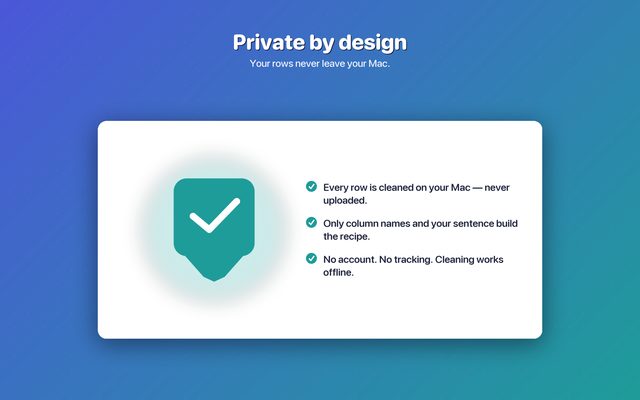
Your rows never leave your Mac.

Rowmend — clean a spreadsheet with one sentence
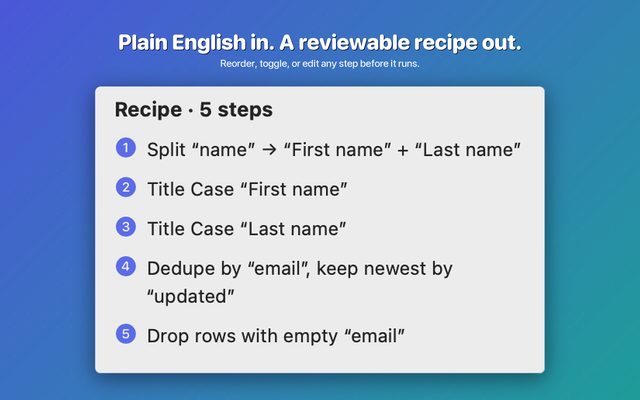
The proposed recipe, step by step
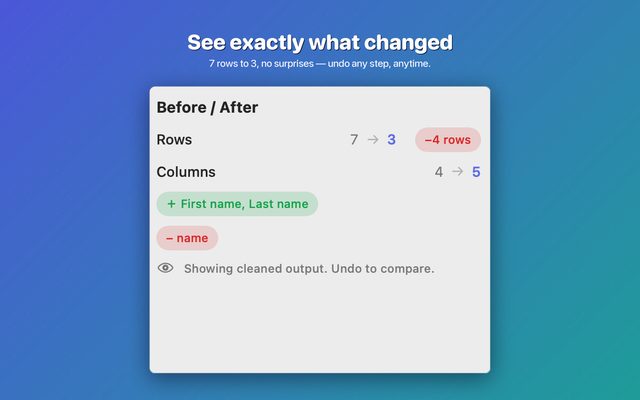
Review the diff before applying
The transform library
Rows never leave your Mac
The idea

Type what you want. Review the plan. Run it locally.

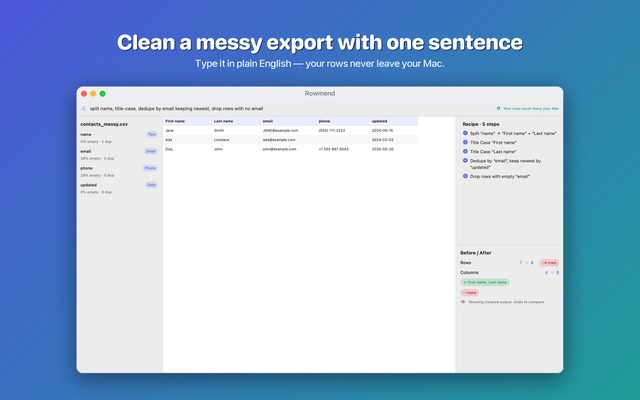
Spreadsheet exports come out messy — split names, ALL-CAPS, duplicates, blank cells, ten date formats. Rowmend reads your goal in plain English, proposes a concrete sequence of transforms, and executes it over every row on-device. Nothing is auto-applied; you see and edit each step first.

split name, title-case, dedupe by email keeping newest, drop rows with no email
  1. 1. Split “name” → “First name” + “Last name”
  2. 2. Title-case “First name” and “Last name”
  3. 3. Standardize “email” (lowercase, trim)
  4. 4. Dedupe by “email”, keep newest by “updated”
  5. 5. Drop rows with empty “email”
7 → 4 rows · reviewed and run on-device · export CSV or XLSX
Deterministic

A recipe, not a black box

Every cleanup is an ordered list of pure transforms you can reorder, toggle, undo, and replay next month — no guessing what the AI “did.”

Private by design

Rows stay on your Mac

Only column headers and your sentence are ever used to build the recipe. The actual data never leaves the device.

Mac-native

Big files, drag & drop

SwiftUI + SwiftData, hand-rolled CSV/XLSX with zero dependencies, built for large exports and keyboard-driven review.

Architecture

Where the data lives — and the one thing that ever crosses the wire.

The whole app is on-device. An optional cloud call helps interpret a hard sentence, and it only ever sees column headers + your goal — never a single row of your data.

▚ Your Mac — on-device Your spreadsheet CSV / XLSX rows + cells live here Profiler types · nulls · dupes Transform Engine ~14 pure steps runs the recipe over every row, locally Recipe Generator your sentence → steps built-in rules · offline FOUNDATION SwiftUI SwiftData save / replay CoreKit StoreKit 2 theme · paywall parse recipe ☁ Cloud — optional Stateless proxy holds the key · stores nothing Claude Haiku 4.5 headers + your sentence — never any rows — recipe (steps)
Read the encoding once: everything inside the teal zone runs on your Mac and touches your rows. Exactly one arrow crosses the dashed boundary — the optional recipe call — and its payload is only the column headers and your sentence. The built-in generator handles most cleanups with no network at all.
The flow

From a messy file to a clean export.

Seven steps, left to right. Only one — generating the recipe — can optionally reach the network; everything else is local.

Import Auto-profile Type a Generate Review Run Export CSV · XLSX types · nulls sentence the recipe & edit steps undo · replay CSV · XLSX rules · or cloud on all rows ▚ entirely on your Mac — except the optional recipe call
The indigo step is the only one that can touch the network; the teal step is where your rows are actually transformed. You review the generated steps before anything runs.
Sequence

Exactly what happens — and what leaves the device.

A single cleanup, message by message. Watch the boundary: only step 4 crosses it, and it carries headers and your sentence, not rows.

crosses the wire → ▚ on your Mac You Rowmend Generator Proxy Claude Haiku 1 · drop CSV / XLSX file 2 · parse + profile (rows stay here) 3 · “dedupe by email, keep newest…” headers + goal 4 · { headers, goal } — no rows forward + key recipe JSON 5 · validated recipe reviewable steps 6 · run recipe over ALL rows — locally 7 · cleaned table → export
Steps 1–3 and 5–7 are entirely local. Step 4 is the only message that crosses to the cloud — and it carries just the column headers and your sentence. If the built-in generator resolves the sentence, step 4 doesn’t happen at all.
Under the hood

A small, deterministic engine.

The recipe

Pure value types, replayable

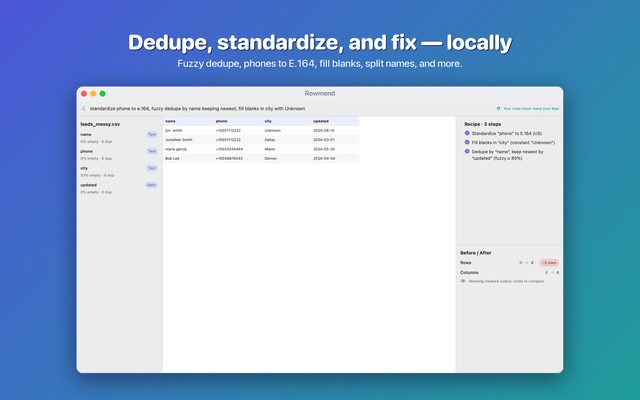
A recipe is an ordered list of ~14 transform steps — split / merge columns, case-normalize, trim, standardize phone (E.164), email, dates (ISO-8601), regex replace, fill blanks, filter rows, and dedupe with an exact or fuzzy match. Each step is pure and reversible via table snapshots, so undo, reorder, and “replay on next month’s file” all fall out for free.

Files

CSV & XLSX, zero dependencies

An RFC 4180 CSV parser (quoted fields, embedded commas and newlines, CRLF) and a hand-rolled XLSX reader/writer built on Apple’s Compression and Foundation — no third-party libraries, sandbox-safe, ready for large exports.

The AI seam

Schema-only, by construction

The generator sends a table schema — column names and types — plus your goal. There is no field on the request that can carry a cell value, and a test asserts the outbound payload contains none. A built-in rule-based generator (and, optionally, an on-device model) keeps common cleanups fully offline.

Shared foundation

Built on CoreKit

Theme, paywall & entitlements (StoreKit 2), onboarding, review prompts, and cross-sell come from the portfolio’s shared package — which now compiles for macOS, making Rowmend the first Mac app to use it.

Pricing

Free to try. Pay once.

Honest, lifetime-led — no subscription required to own the tool.

Free
$0row cap · core transforms
  • Split, case, trim, dedupe, filter
  • Import & export CSV / XLSX
  • Fully on-device
Lifetime · recommended
$39.99pay once, yours forever
  • Unlimited rows & batch files
  • All ~14 transforms + fuzzy dedupe
  • Save & replay recipes
Yearly
$19.99per year · 1-month free trial
  • Everything in Lifetime
  • Sync & ongoing updates