Ownspend icon

See where your money goes — without linking a bank.

A local-first expense tracker for iPhone, iPad and Mac. No bank password, no account, no setup weekend. Open it, tap plus, type what you spent.

No bank linkingNo account$29.99 onceiPhone · iPad · Mac
The Spending Wheel — a month of spending as coloured arcs

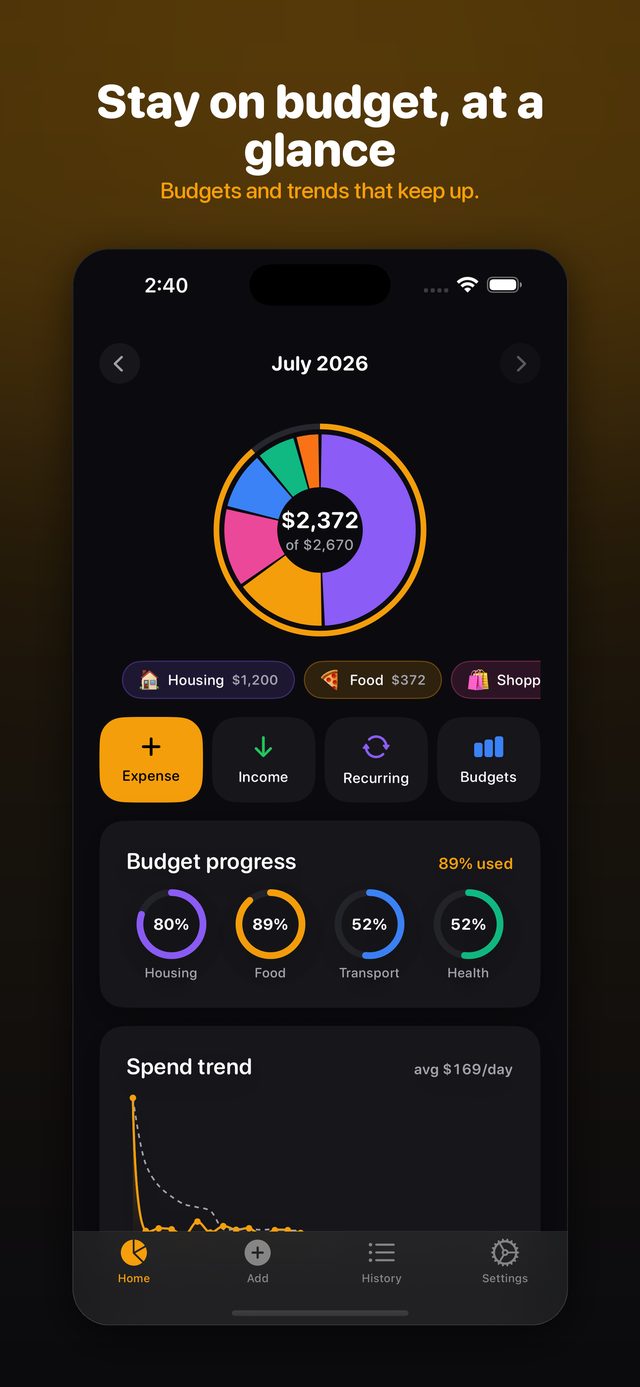
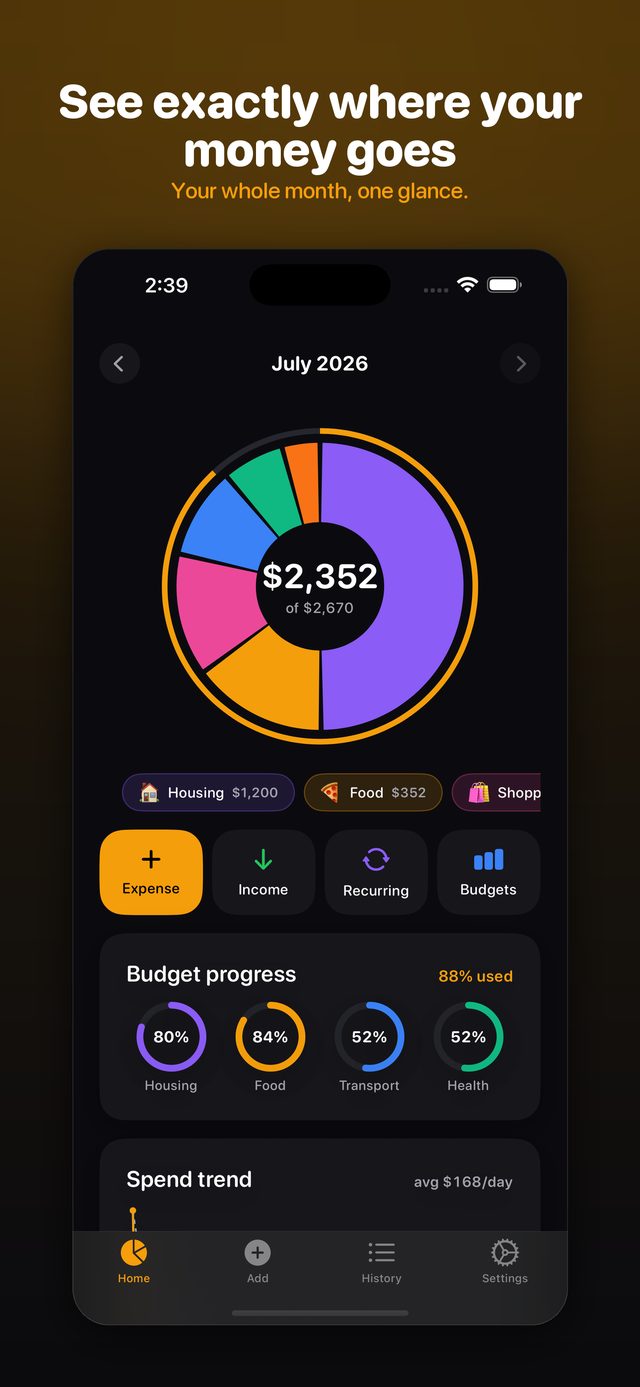
Your whole month, one glance

Every category is an arc on the Spending Wheel, sized by what you have spent this month. Tap an arc to drill into it. It fills in real time as you log, so you always know where you stand.

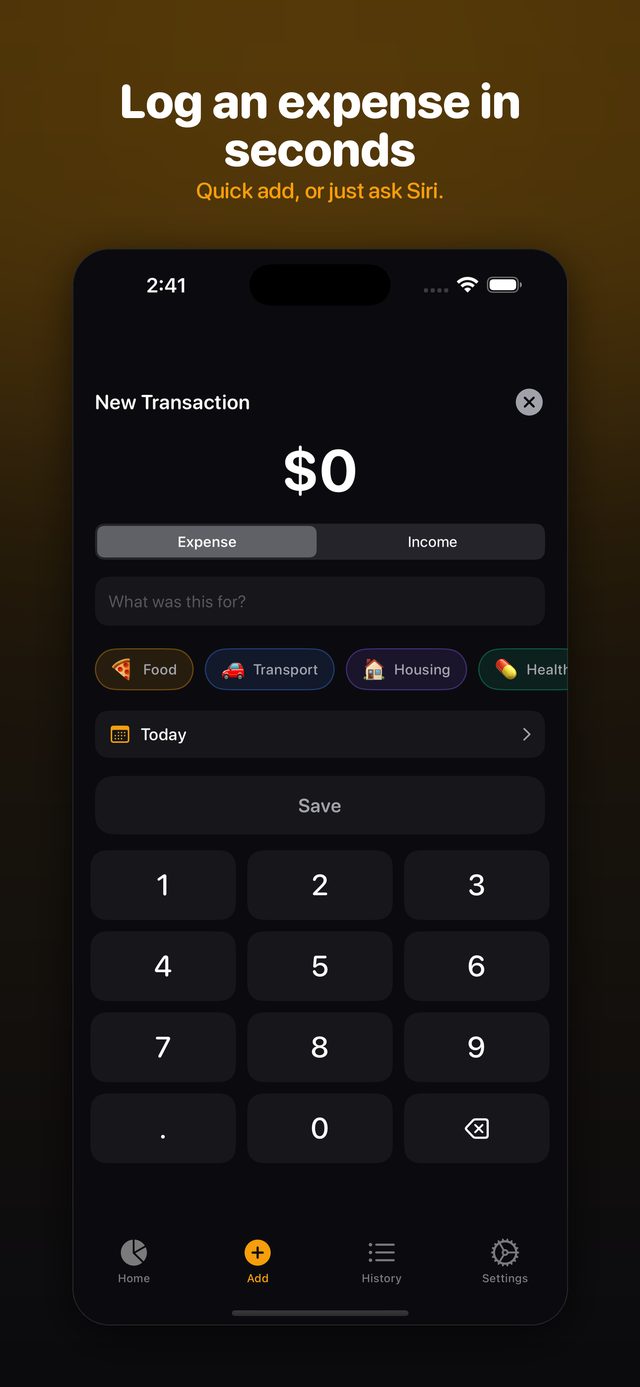
Log it in three taps

The numeric keypad is waiting the moment you tap add. Amount, category, done — or just ask Siri. Ownspend remembers your recent amounts and categories, so the morning coffee takes seconds.

Quick add — amount, category, save

Budgets that actually help

Set a monthly limit per category and watch the progress inline. Ownspend warns you as you near a limit and flags the ones you have gone over — no end-of-month surprises. Budgets, alerts and spend trends are part of Pro.

Budget progress rings and a spend-trend chart

Share one wallet, free

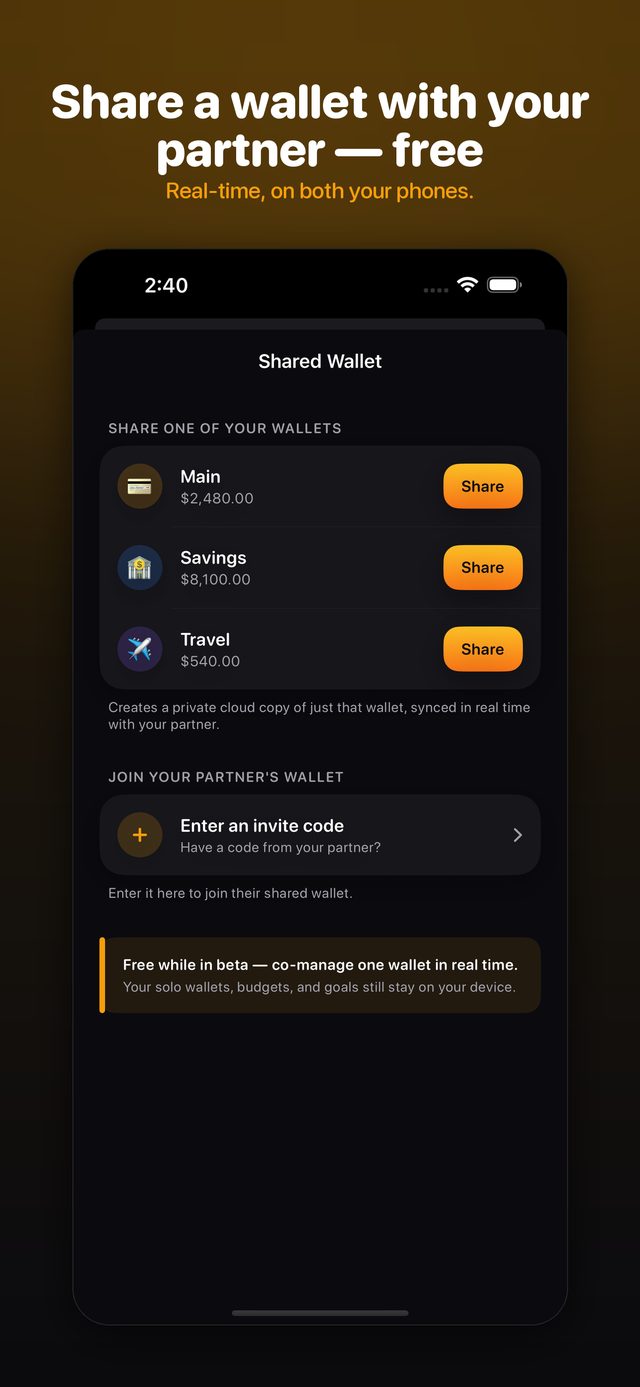
Share a single wallet with one other person — a partner, a flatmate — and you both see every expense as it is added, and who added it. Only that wallet syncs. It costs nothing.

Shared Wallet — share a wallet or join with an invite code

Your money stays on your device

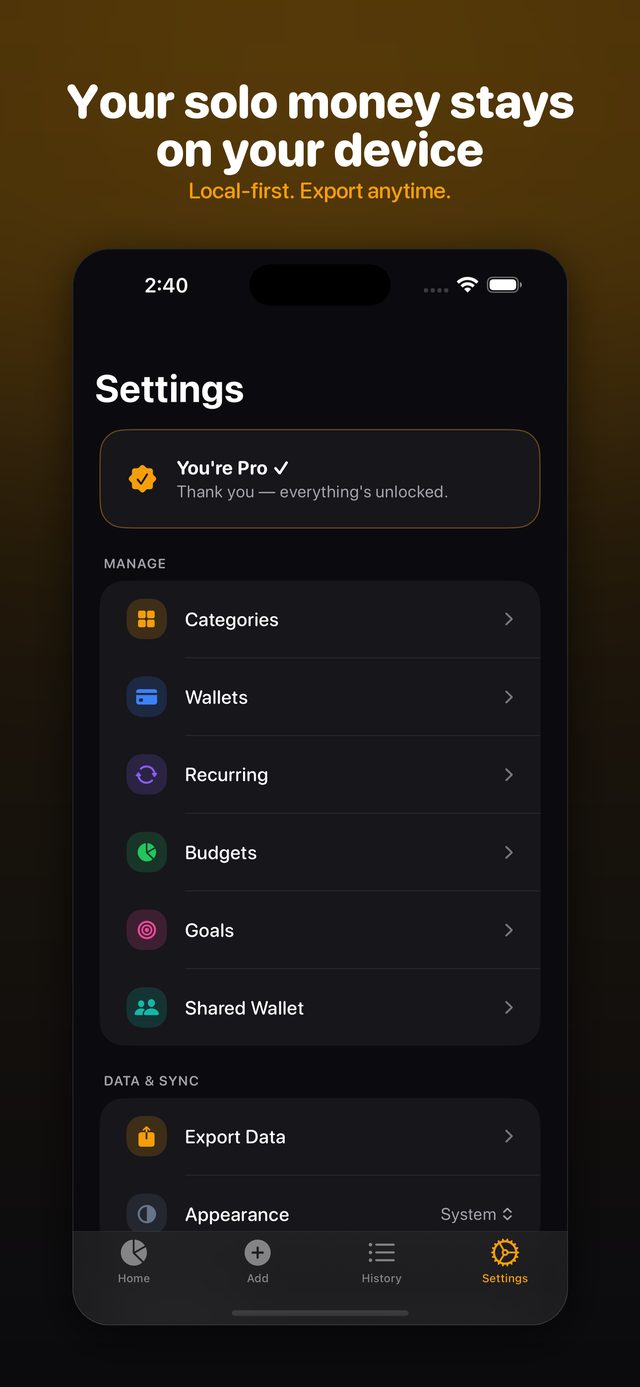
Use Ownspend on your own and there is no account and no sign-in at all — your expenses live in a local store on your phone. Nothing to leak, nothing to breach. Pro can export the lot to CSV or JSON whenever you want it.

Settings — categories, wallets, budgets, goals, export

The details

History you can search

Every transaction, newest first. Search by keyword, filter by category or date, sort by amount. The free tier shows the last 60 days; Pro shows all of it.

Recurring & subscriptions

Record the charges that repeat — rent, streaming, the gym — so they stop being a surprise. Part of Pro.

Home Screen widgets

Your month at a glance without opening the app. Part of Pro, on iPhone and iPad.

Apple Watch

A glance at the month, and a quick add from your wrist when your phone is in another room.

Receipts and places

Attach a receipt photo to any expense, and record the place or merchant where you spent it.

Works offline

Solo use talks to no server at all. Log on a plane, in a basement, anywhere — it just works.

Honest pricing

The free tier is genuinely useful — it is the trial. Upgrade only when you outgrow it, and if you hate subscriptions, buy Pro once and own it.

Free
$0
forever, no account
  • The Spending Wheel and full category breakdown
  • 3-tap Quick Add, and Siri logging
  • Up to 3 categories and 2 wallets
  • The last 60 days of history
  • One savings goal
  • Shared Wallet with one other person
  • Monthly summary card you can share
Pro · pay once
$29.99
one time — never renews
  • Unlimited categories and wallets
  • Your full history, not 60 days
  • Per-category budgets, alerts and trends
  • Unlimited savings goals
  • Recurring and subscription tracking
  • Home Screen widgets
  • Export to CSV or JSON
Pro · subscription
$14.99
per year, or $2.99 per month
  • Everything in Pro
  • 7-day free trial on both plans
  • Cancel any time in App Store settings
  • Prefer to own it? Take the one-time unlock instead

FAQ

Do I have to connect my bank?

No — and you cannot, by design. Ownspend never asks for banking credentials or card numbers, and it does not use Plaid or any other aggregator. You enter what you spend, which is also the only way cash ever gets tracked.

Do I need an account?

Not unless you want one. Using Ownspend on your own involves no sign-up and no sign-in screen. An account — Sign in with Apple or Sign in with Google — is created only at the moment you start or accept a Shared Wallet, and you can delete it in Settings.

Does my data sync between my iPhone, iPad and Mac?

No. Ownspend is local-first: your expenses live on the device you entered them on, and there is no iCloud sync. The one exception is a Shared Wallet, which syncs only that wallet and only between the two people in it. Pro can export everything to CSV or JSON if you want to move it yourself.

Is Shared Wallet paid?

No. It is free today, and it covers one wallet shared with one other person. Your personal wallets, budgets and goals stay on your device even when you use it.

Why does the App Store still say ClearSpend?

Ownspend is the app’s new name; the rename ships with the next update, so until it lands the store listing still shows the old one. Same app, same data, same Pro unlock — nothing to migrate.

What does it cost to keep using it?

Nothing. The free tier does not expire and is not a countdown. Pro is a choice: $29.99 once, or $14.99 a year / $2.99 a month with a 7-day free trial. See the Terms of Use.

More from ExploringIdeas